Basic settings
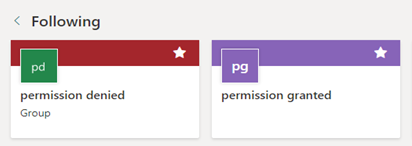
Suppose you have two SharePoint sites named "permission granted" and "permission denied".
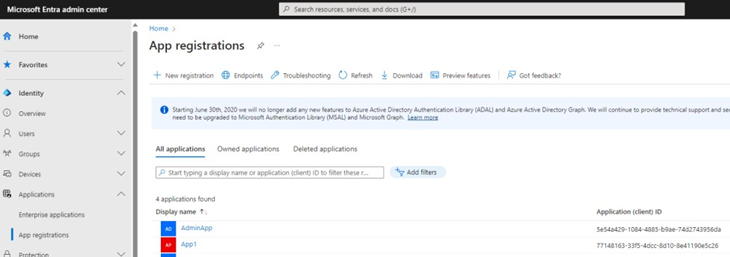
Create two applications in the Microsoft Entra admin center, named AdminApp and App1.
AdminApp should have access to everything, while App1 should have access to the "permission granted" site only.
Set Sites.FullControl.All access rights for AdminApp:

Set Sites.Selected access rights for App1:

Granting access for App1 to a specific SharePoint site
Create a new HTTP request to generate an access token for AdminApp: a. Set Request method, Request URL, and Request header.
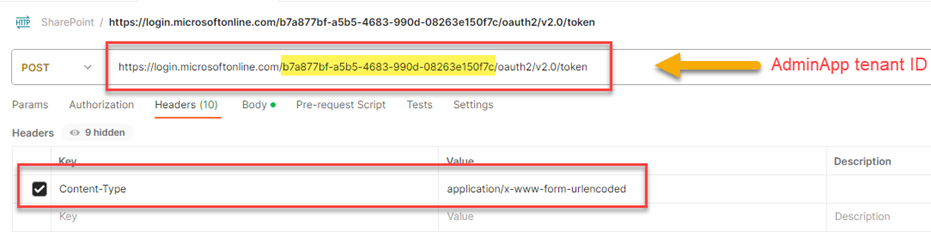 b. Enter the request body settings.
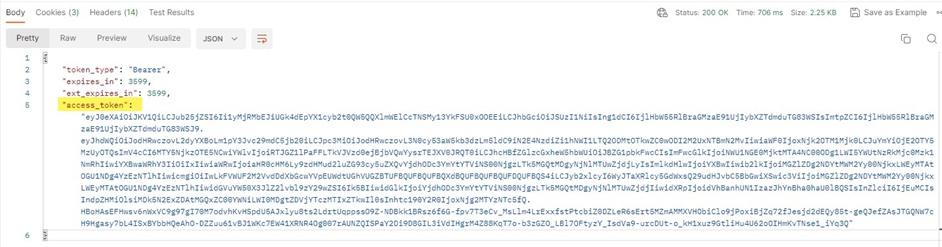
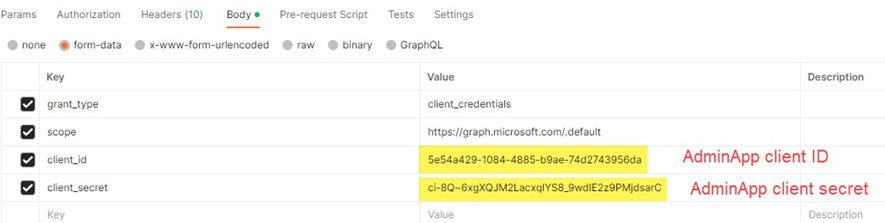 c. Send the request. An access token for AdminApp is generated.
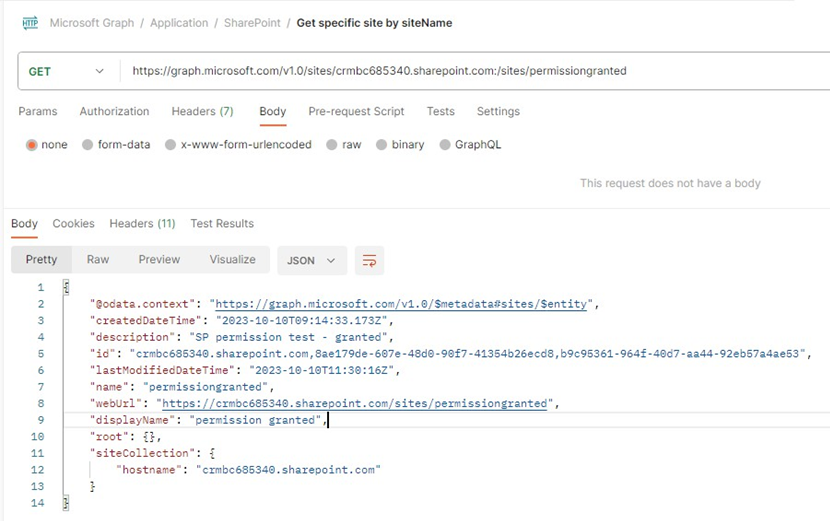
Copy the site ID of the SharePoint site named "permission granted".
Create a new HTTP request to grant access for App1 to the "permission granted" SharePoint site: a. Set Request method, Request URL, and Request header.
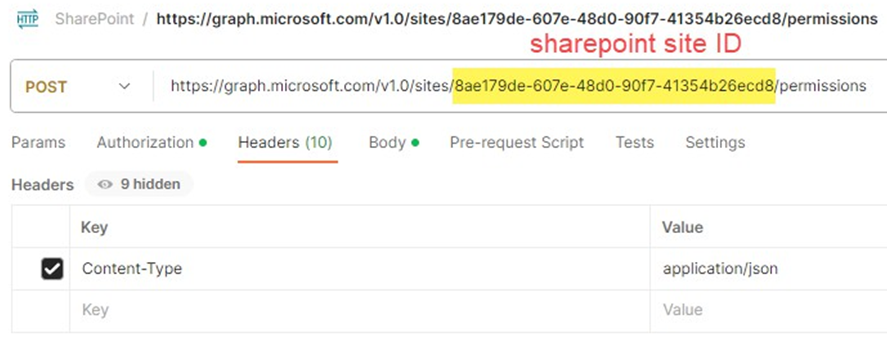 b. Enter the request body settings.
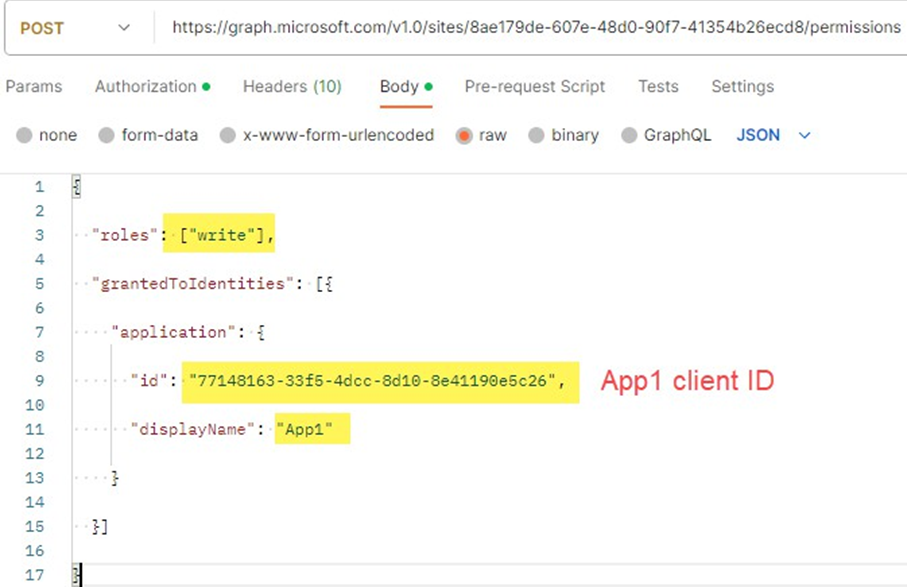 c. Enter authorization settings and paste the access token obtained from the previous request.
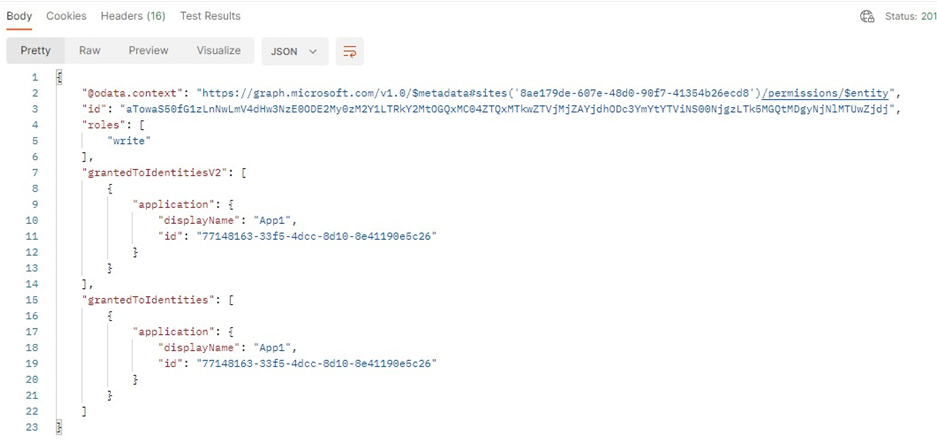
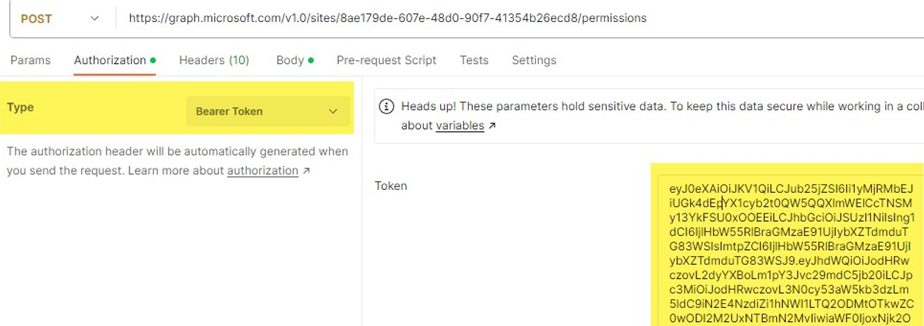 d. Send the request. Access for App1 to the "permission granted" SharePoint site is granted.